Pre-printed vs blank check stock: which should you buy?
Pre-printed check stock arrives with your name, bank and account numbers already on it, so your software only fills in the date, payee, amount and memo. Blank check stock has the security paper and nothing else, so your software prints the whole check, MICR line included. Pick pre-printed for one account and the least setup. Pick blank stock for several accounts or when you want one box of paper for everything.
Password protected and encrypted on your PC
Windows only Windows 10 or 11 (64-bit). Internet is needed to download and activate once.
Short answer
The short answer
Both make real checks. The difference is who prints the bank numbers along the bottom: the check printer before the box ships, or your own printer when you print the check.
- One bank account, a few checks a month, and you want to load paper and print: pre-printed check stock.
- Two or more accounts or businesses, or your bank details may change: blank check stock.
- You keep running out of checks or waiting on a reorder: blank check stock, since one pack works for every account.
- You want your logo and layout to change whenever you like: blank check stock.
What comes on each kind of paper
Pre-printed check stock is ordered for one account. Each sheet already shows your business or household name and address, the bank name, the check number, and the MICR line: the row of routing, account and check numbers along the bottom edge that bank machines read. When you print, the software adds the date, the payee, the amount in numbers and words, the memo and, if you like, a signature.
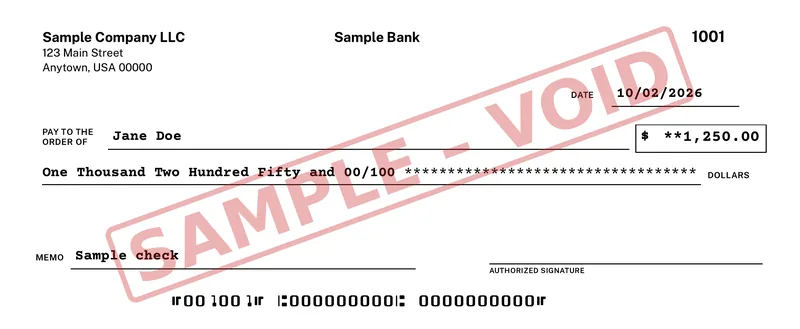
Blank check stock is the same kind of security paper with the personal details left off. It usually still has the check outline, a padlock or warning band, microprint and a background pattern that shows tampering. Your software prints everything else at the moment you write the check: your name and address, the bank, your logo, the check number and the MICR line in the standard E-13B font.
Both come in the same common business formats, such as a check on top with two stubs below. Check the layout your software supports before you order a box.
Name, bank, check number and MICR line come printed.
Security paper only. One pack works for every account.
Your printer adds the date, payee, amount, memo and signature.
Your printer prints the whole check, MICR line included.
When pre-printed check stock is the better buy
Pre-printed stock is the easy path for one account. You load the paper, line up the payee and amount once, and print. The bank line was printed by the check company, so the only thing your printer does is fill in the blanks.
It also suits people who already have a box from the bank. Use it up. Any check printing software that has a pre-printed layout will fill those checks in, and you can decide about blank stock when the box runs out.
- One checking account that rarely changes.
- A handful of checks a month.
- You want the fewest setup steps.
When blank check stock is the better buy
Blank stock shines when you write checks from more than one account. A landlord with an operating account and a deposit account, a bookkeeper who pays bills for several clients, or a contractor with two businesses can keep one pack of paper in the drawer and print the right bank details on each check.
It also saves you the reorder. A new address, a new logo or a new bank account is a settings change, not a box of checks to throw away. And because blank sheets carry no account numbers until you print, the paper in the drawer is less useful to anyone who walks off with it. Keep it put away all the same.
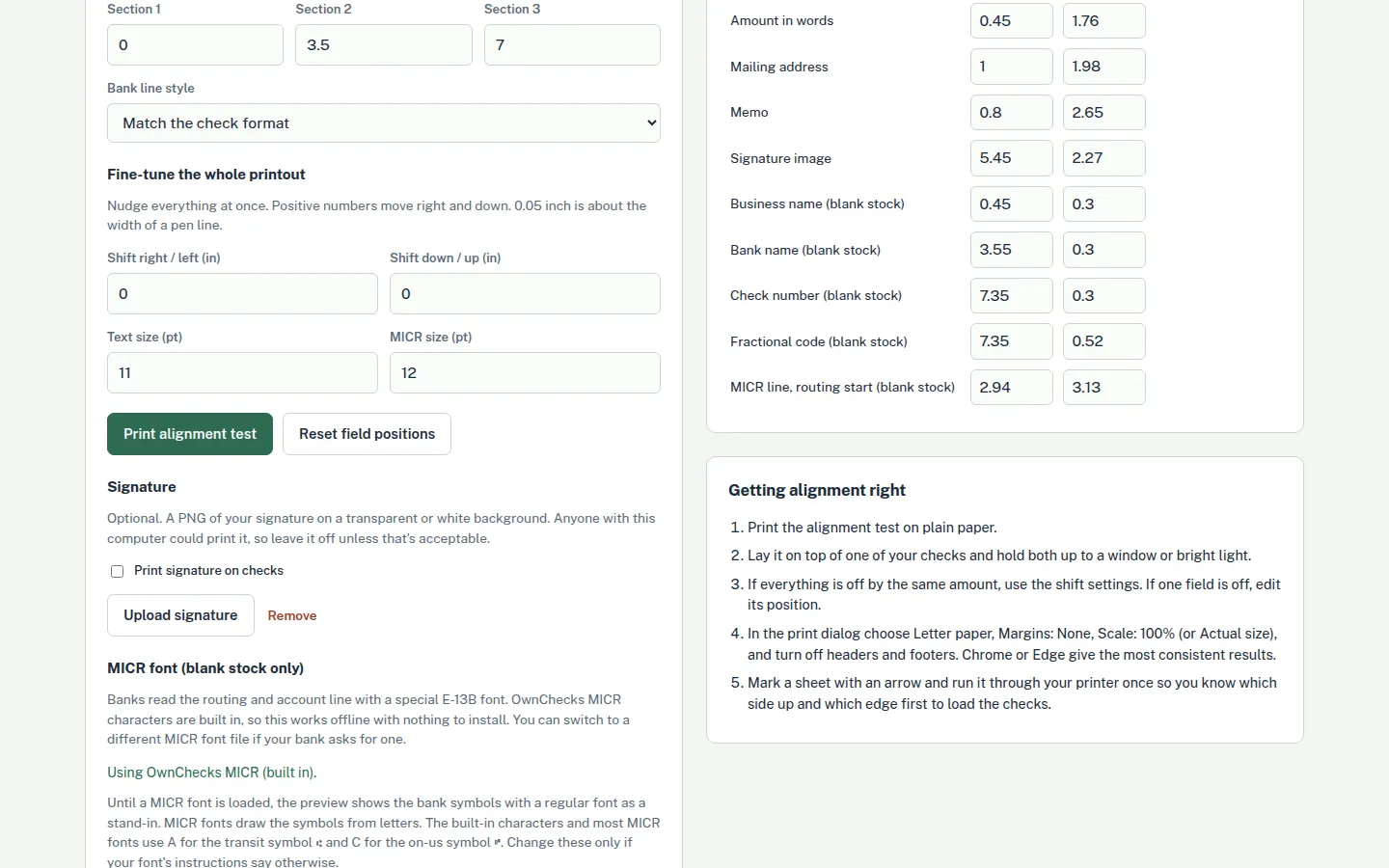
The trade is a little setup the first time. You enter your routing and account numbers, print a test page, and nudge the fields until the bottom line sits level in the clear band at the bottom edge. After that, every check prints the same way.
- Two or more bank accounts or businesses.
- Bank details, address or logo that may change.
- You want one supply of paper and no reorders.
Switching from pre-printed to blank stock
You do not have to switch all at once. Finish the pre-printed box on its preset layout, then move to blank stock for the next order. Pick up blank check stock in the same format, enter your bank details once, and print a VOID test page on plain paper before you load a real sheet.
Hold the test page against a sheet of check stock. If the MICR line sits in the clear band and the amount sits in the amount box, you are ready. If not, move the fields a little and print again. The blank check stock guide walks through the setup, and the MICR toner and ink guide covers what to do if your bank asks for magnetic ink.
Start your check numbers after the last number you used on the old stock, so your register and the bank statement stay in order.
How OwnChecks handles both
OwnChecks is Windows check printing software that works with either paper. It has preset layouts for pre-printed checks, so it only fills in what is missing, and it prints the complete check on blank stock: your logo, signature, bank details, payee, amount in words, memo and the MICR line in E-13B. An alignment wizard helps you line things up on your printer, and every check you print goes into a register on your PC.
$50 for your first computer. Add more in the same order for $25 each, up to 10 per buyer (per purchase email). Free updates. It runs on Windows 10 or 11 (64-bit). Download the free trial to test your own printer and paper first. Checks print with a VOID / TRIAL watermark until you activate.
Pricing
Buy OwnChecks once
$50once
No subscription. Free updates.
- +$25 each extra computer, in the same order
- $5 per check Mail-a-check: we print and mail it by USPS First-Class
- Print unlimited checks, no per-check fee
- Unlimited businesses and bank accounts
Secure checkout by Stripe
Pay with Card, Apple Pay, Google Pay:
OwnChecks prints on both kinds of paper. $50 for your first computer. Add more in the same order for $25 each, up to 10 per buyer (per purchase email). Free updates.
Keep reading
Related
What is pre-printed check stock?
Check paper that already carries your name, address, bank name, routing number, account number and check numbers. Your software prints only the date, payee, amount, amount in words and memo.
What is blank check stock?
Security check paper with none of your details on it. Check printing software prints everything, including the MICR line with your routing, account and check numbers.
Which is cheaper, pre-printed or blank check stock?
Blank stock usually costs less per check over time, because one pack works for every account and nothing goes to waste when an address or account changes. Pre-printed stock skips the setup.
Can I use blank check stock with a regular printer?
Yes. A regular printer works fine. Most banks accept these. If your bank asks for magnetic ink, MICR toner is sold for many printers.
Can one program print on both?
Yes. OwnChecks has preset layouts for pre-printed checks and prints the full check, MICR line included, on blank stock.
Will my bank accept checks I print myself?
Print a free test page to check alignment, then confirm acceptance with your bank.
Print a test page, then pay once.
Windows only. It needs the internet only to download it, to activate your key once, and for optional Mail-a-check. Your bank details stay on your PC unless you choose to have a check mailed. Free updates.
Secure checkout by Stripe
Pay with Card, Apple Pay, Google Pay:
- Unlimited businesses and bank accounts
- One-time payment, no subscription
- Free updates
- Password protected and encrypted on your PC
- Works offline, no internet connection needed (after one-time activation)
Try the free trial first. Checks print with a VOID watermark until you activate.