Print a free test page to check alignment
The trial is a Windows desktop app. Checks print with a VOID watermark until you activate a license. Use it to see how the page lines up on your printer.
Watch: install and print your first check
Mac and Linux are not supported. System requirements: Windows 10 or 11 (64-bit). Internet is needed to download and activate once.
Windows may show a warning, here's how to get past it (30 seconds).
What the test page is for
Alignment. It shows you where the fields land. It does not prove that your bank will accept the check. Confirm acceptance with your bank before you rely on blank-stock checks.
What blank stock needs
- Check stock
- MICR toner or MICR ink
- A laser printer, which is the recommended choice
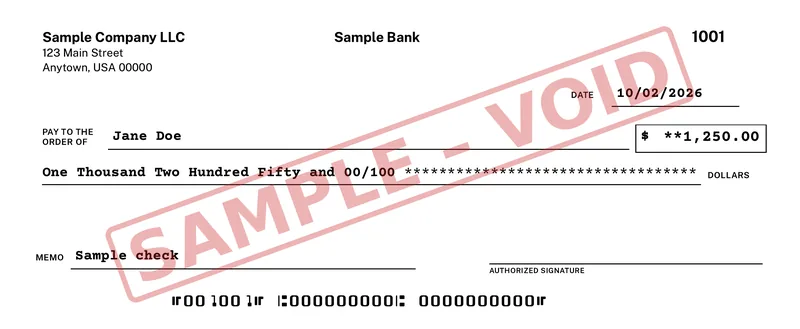
You can also print on preset pre-printed check stock, and fine-tune field positions with the alignment wizard. The sample below is a check printed by the app, with sample data and a VOID watermark.
After you pay, a license key is emailed to you. $50 for your first computer. Add more for $15 each, up to 10 per buyer (per purchase email). Activating the key removes the VOID watermark on the computers that order paid for. Every future update is included, for as long as we sell it. Your license includes all future versions of OwnChecks released while we continue to sell the product. We may stop selling or updating it at any time; your installed version keeps working.
The software
See the app
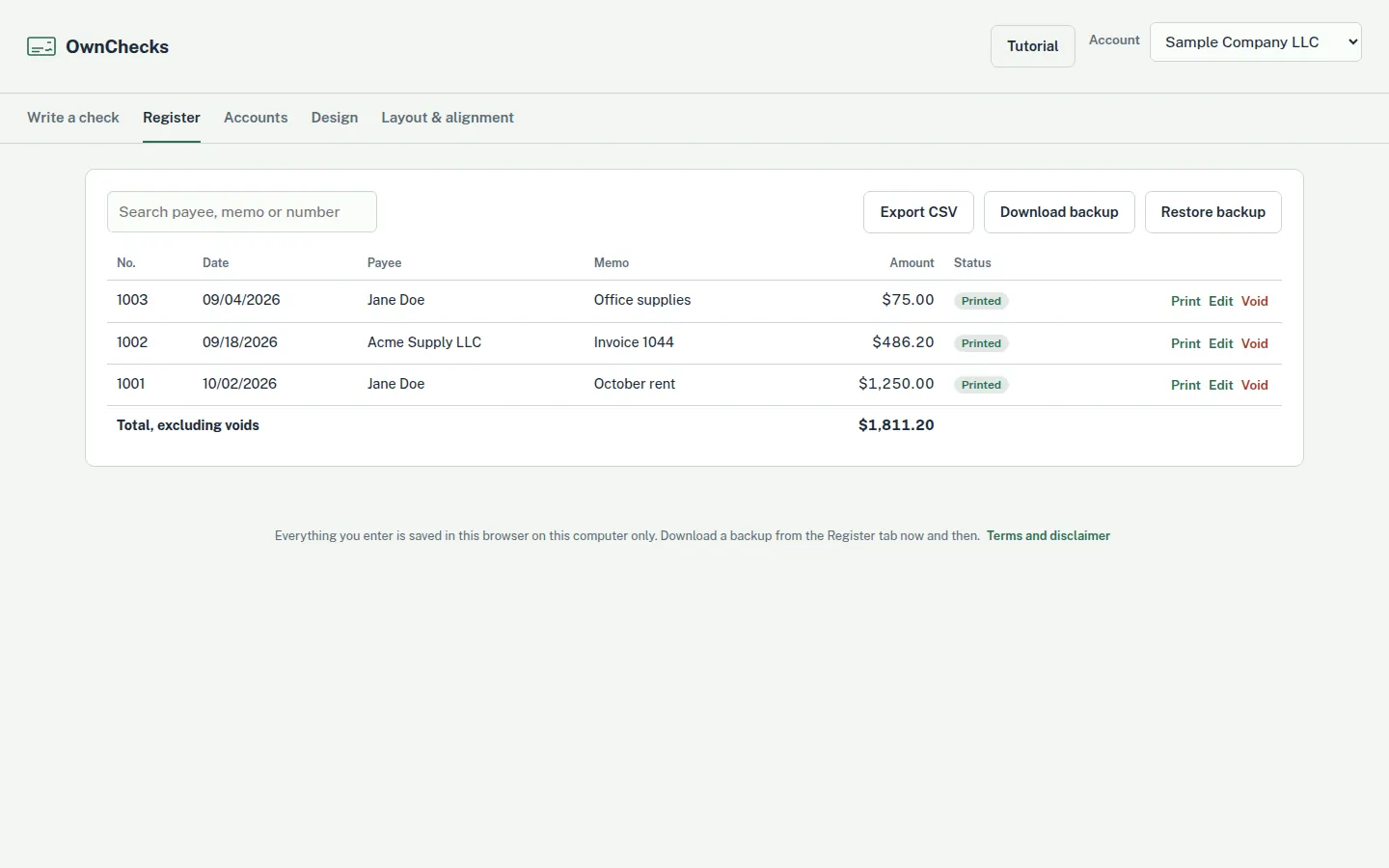
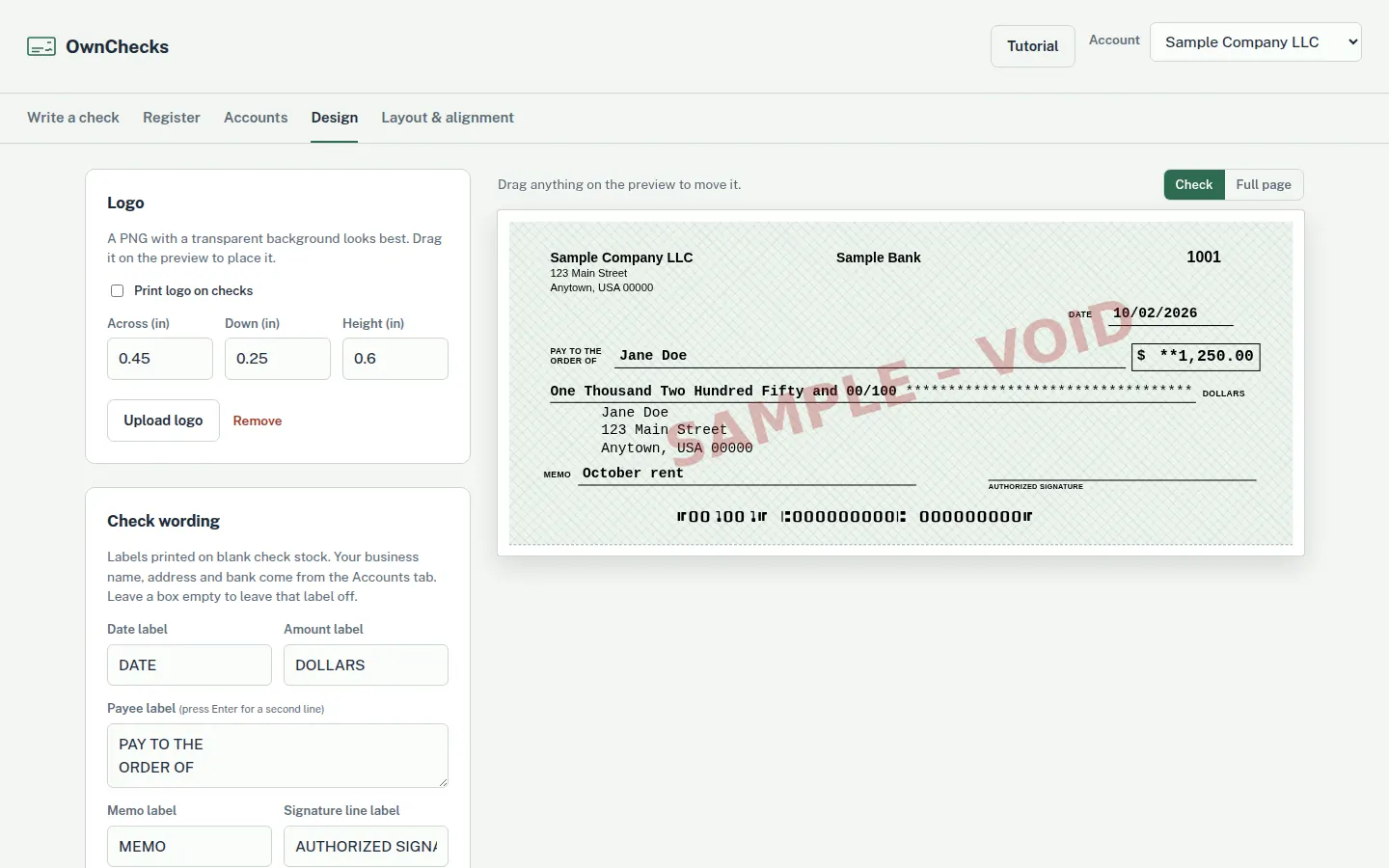
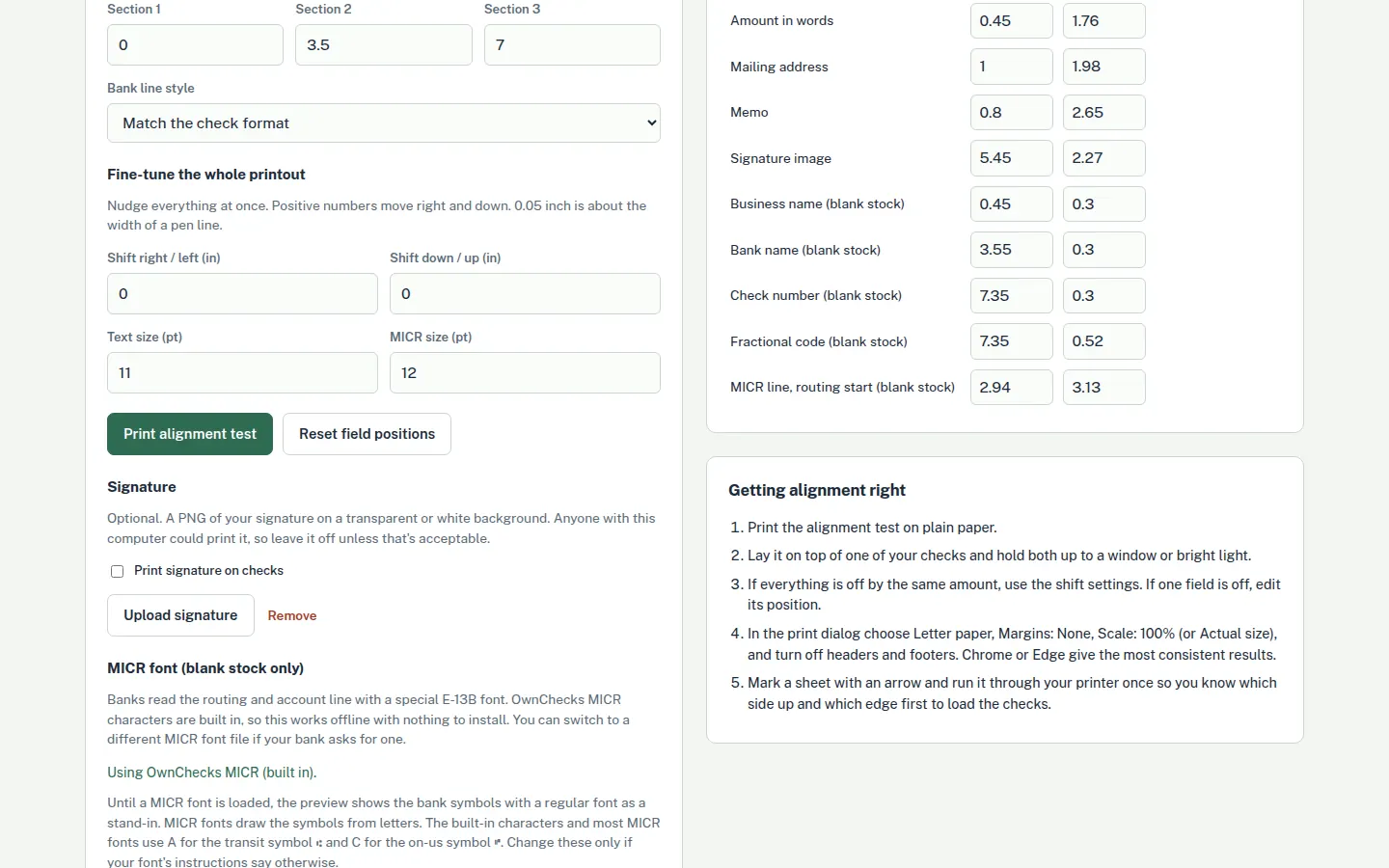
The register, the check designer, and the alignment screen. Every figure on these screens is sample data. What the check register does.
Card, Apple Pay, Google Pay
Refunds within 48 hours of purchase by contacting support@ownchecks.com. After 48 hours, all sales are final. Try the free trial first. Checks print with a VOID watermark until you activate.